'%20fill-rule='evenodd'%20d='M171.52-16.97H86.06q-35.76%200-60.91-25.15Q0-67.27%200-103.03q0-35.15%2025.15-60.61%2025.15-25.45%2060.91-25.45%2035.15%200%2060.3%2025.45%2025.16%2025.46%2025.16%2060.61v86.06M86.06-146.06q-18.18%200-30.61%2012.73-12.42%2012.72-12.42%2030.3%200%2018.18%2012.42%2030.61Q67.88-60%2086.06-60q17.58%200%2030.3-12.42%2012.73-12.43%2012.73-30.61%200-17.58-12.73-30.3-12.72-12.73-30.3-12.73'/%3e%3c/svg%3e%3c/svg%3e)
Ship
Every sale becomes a parcel you follow until delivery, with its shipping deadline.
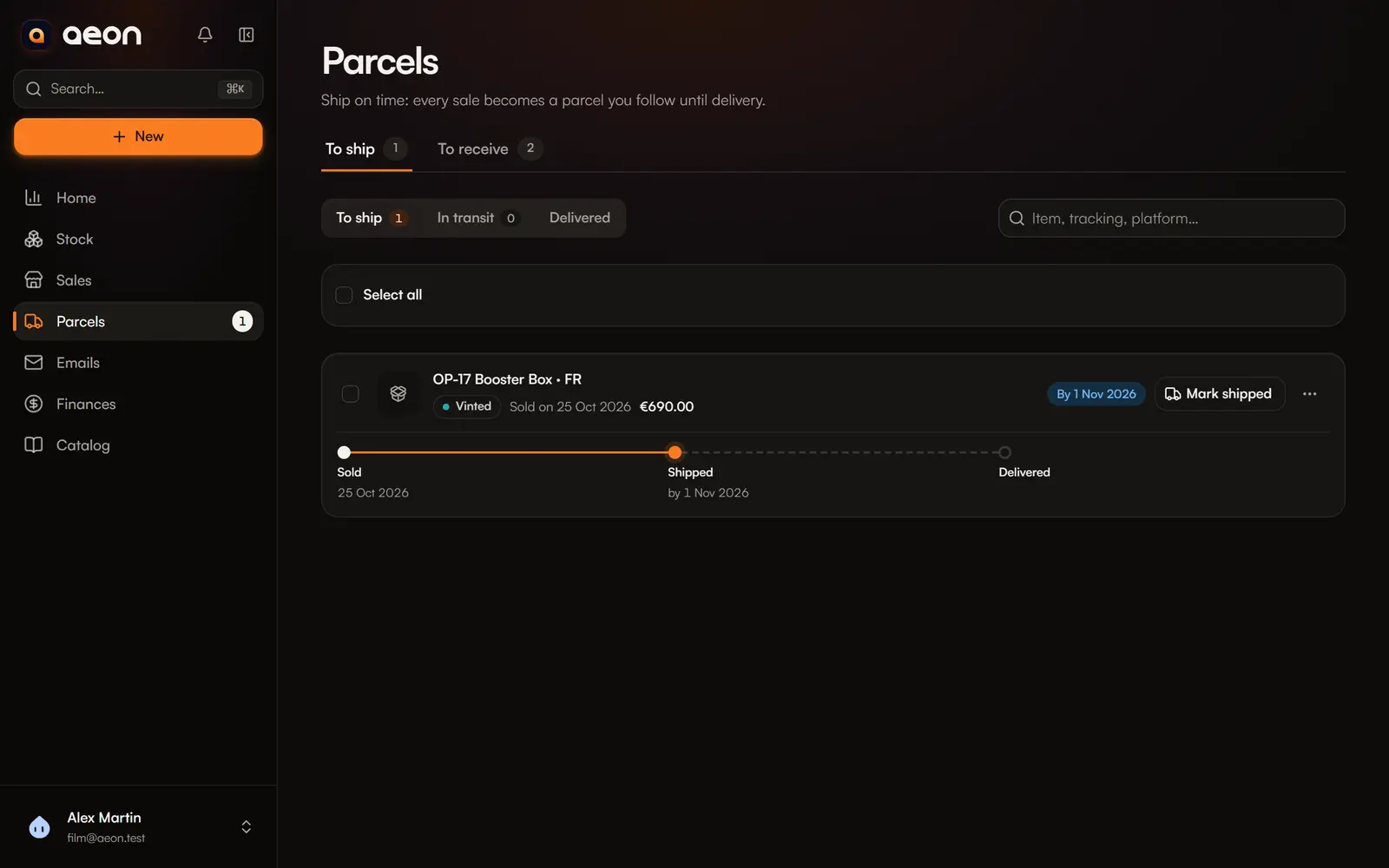
A late shipment costs a rating or a cancellation. Parcels › To ship lists what must go out, late ones first.
Where parcels come from
Each sale recorded with To ship shipping becomes a parcel. Sales recorded together (a bundle) make one parcel.
The Sales tab, the sidebar and the bottom bar on phones show the number of parcels to ship.
What a parcel shows
The items, the platform, the sale date and price, where each item is stored (Pick from:), the tracking link, and the deadline in plain words:
| Badge | Meaning |
|---|---|
| Overdue: N days | The deadline has passed. |
| Ship today | Last day. |
| By + date | There is still time. |
| No deadline | No known deadline. |
Deadlines are not guessed
Only known rules are prefilled: Vinted, 5 business days (weekends skipped, public holidays not taken into account). For other platforms, enter the deadline when you record the sale.
Step by step
Pack the parcel
Fetch the items from the place shown.
Mark shipped
Enter the tracking number (optional, but it lets carrier emails be linked) and the carrier: Colissimo, Chronopost, Mondial Relay, Relais Colis, Vinted Go, UPS, DHL, DPD, GLS… Aeon often recognises the carrier from the number. Confirm shipment.
Mark delivered
The parcel moves to Delivered. With email reading or Ship24, this can happen by itself (see below).
Several parcels at once? Select them, then Mark N shipped or Mark N delivered. Tracking numbers can be added afterwards.
A parcel's menu also lets you Edit tracking, Back to ship, or Handed over / untracked.
Parcels are followed in three views: To ship, In transit and Delivered. Search finds a parcel by item, tracking number or platform.
Automatic updates
With a mailbox connected, Aeon reads carrier and platform emails and updates your parcels: shipped, delivered. Certain cases are applied, uncertain ones wait to confirm. See Emails and automatic reading.
Each parcel's timeline
Each parcel shows a timeline: sold → shipped → delivered. Done steps show their date; the next one shows its deadline, and a delay is written in full.