'%20fill-rule='evenodd'%20d='M171.52-16.97H86.06q-35.76%200-60.91-25.15Q0-67.27%200-103.03q0-35.15%2025.15-60.61%2025.15-25.45%2060.91-25.45%2035.15%200%2060.3%2025.45%2025.16%2025.46%2025.16%2060.61v86.06M86.06-146.06q-18.18%200-30.61%2012.73-12.42%2012.72-12.42%2030.3%200%2018.18%2012.42%2030.61Q67.88-60%2086.06-60q17.58%200%2030.3-12.42%2012.73-12.43%2012.73-30.61%200-17.58-12.73-30.3-12.72-12.73-30.3-12.73'/%3e%3c/svg%3e%3c/svg%3e)
Suppliers
What each buying source brings — realised margin, selling speed and stock still held.
Shop, flea market, wholesaler, website: where do you buy best? Finances › Reports › Suppliers compares your sources from the supplier entered on each purchase.
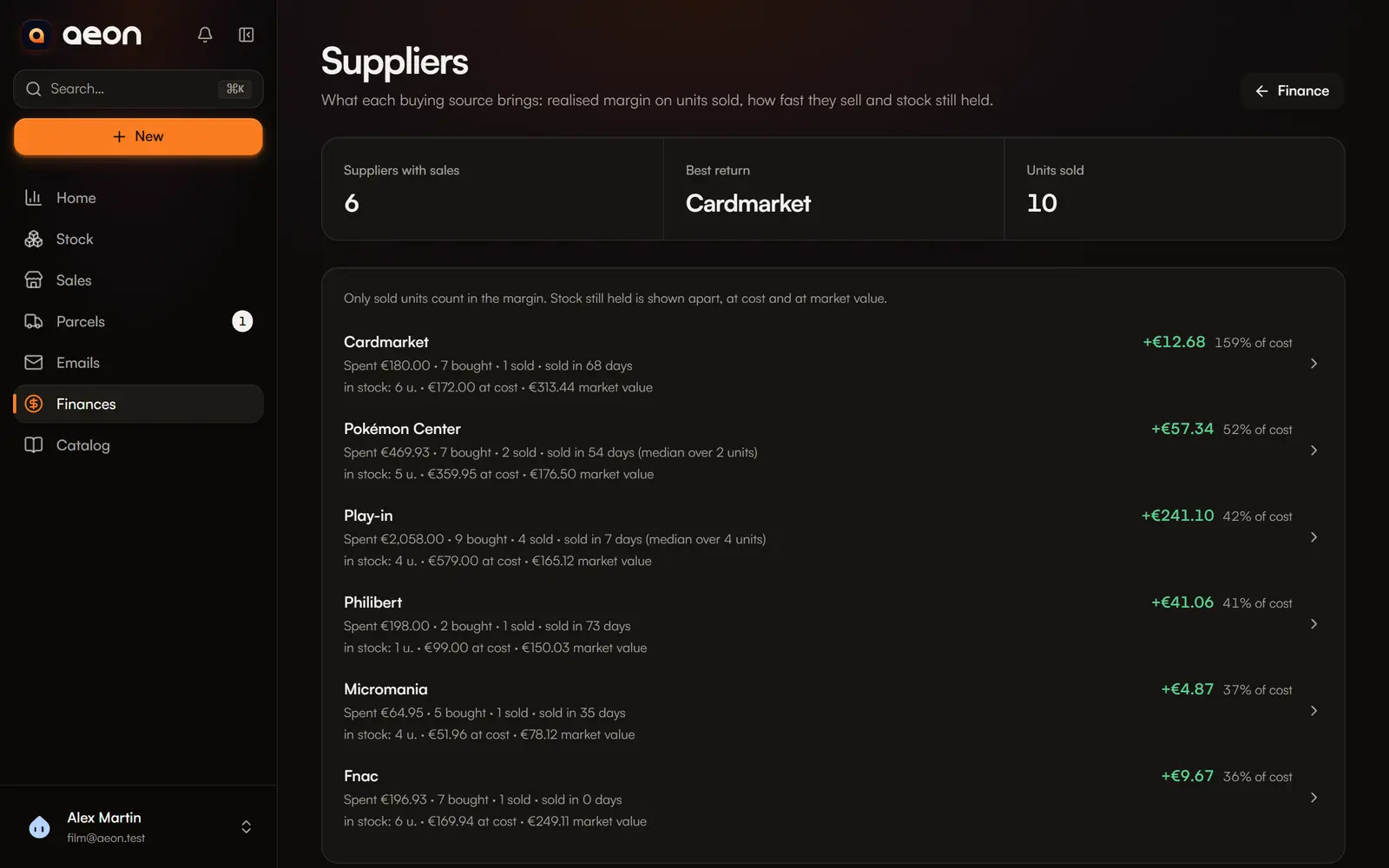
What the page shows
At the top: the number of suppliers with sales, the one with the best return, and units sold.
Then one row per supplier, ranked by return on cost (realised margin ÷ cost of units sold):
- spent, units bought and sold;
- realised margin and return;
- median time to sell;
- stock still held, at cost and at market value, shown apart.
Suppliers with nothing sold come next, ranked by money spent. Purchases without a supplier are grouped under No supplier, last.
Only sold units count in the margin
Stock still held is shown alongside, at cost and at market value, never added to the margin. If sold units have no cost, the row says “estimate: missing costs”.
A supplier's detail
A row opens the list of its purchases: date, item, units bought, left and sold, unit cost and realised margin.
Rename or merge
“Shop X” and “shop x” are already grouped. For two really different names (“Cardmarket” and “CM”), Rename or merge: type the other supplier's name to merge both. Aeon says how many purchases change before you confirm.
To fill this page
It feeds on the supplier entered when adding stock. Fill it in on your next purchases to compare your sources.