'%20fill-rule='evenodd'%20d='M171.52-16.97H86.06q-35.76%200-60.91-25.15Q0-67.27%200-103.03q0-35.15%2025.15-60.61%2025.15-25.45%2060.91-25.45%2035.15%200%2060.3%2025.45%2025.16%2025.46%2025.16%2060.61v86.06M86.06-146.06q-18.18%200-30.61%2012.73-12.42%2012.72-12.42%2030.3%200%2018.18%2012.42%2030.61Q67.88-60%2086.06-60q17.58%200%2030.3-12.42%2012.73-12.43%2012.73-30.61%200-17.58-12.73-30.3-12.72-12.73-30.3-12.73'/%3e%3c/svg%3e%3c/svg%3e)
Understand your finances
The profit you actually made, where it comes from and where each euro received goes.
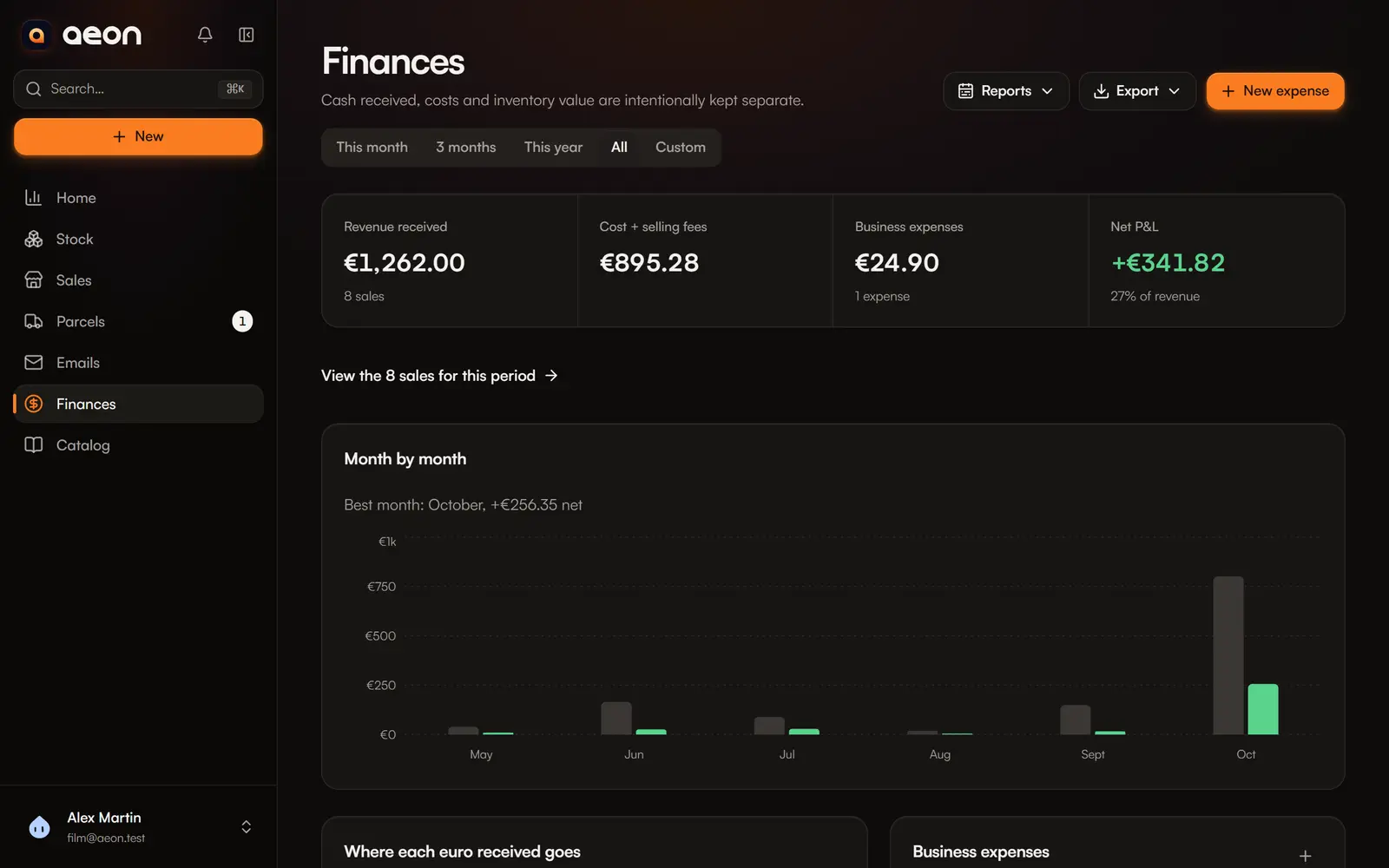
Finances answers one question: how much did you really earn? Cash received, costs and stock value are deliberately kept apart.
Choose the period
At the top: This month, 3 months, This year, All or Custom (from… to…). The whole page follows the chosen period.
The four figures
| Figure | What it holds |
|---|---|
| Revenue received | The amount of sales, refunds deducted, and their count. |
| Cost + selling fees | The purchase cost of the units sold, platform fees and the shipping you paid. |
| Business expenses | Your expenses for the period (packaging, shipping supplies, subscriptions…). |
| Net P&L | Revenue received − cost + selling fees − business expenses. That is your profit. |
Profit = sale price − purchase cost of units sold − fees − postage − expenses.
Unknown costs
If some sales have no known purchase cost, results are estimates, and the page says so. Aeon never replaces an unknown cost with 0. See Incomplete purchase cost.
Your stock's value does not show here: it only becomes profit when you sell. See Market value and profit.
The analyses
- Where each euro received goes: cost of goods sold and selling fees, business expenses, then what you keep.
- Month by month: revenue and net result of each month (when the period covers two months or more), with your best month. Months add up to the Net P&L at the top.
- Result by category: revenue and margin of each category.
- By platform: for each platform, the number of sales, revenue, the share of fees and shipping, and the margin, best to worst. For example: “Vinted leaves you a 31% margin, against 12% on eBay.” The margin is before business expenses, which are not tied to a platform. Each row leads to that platform's sales.
- Rotation: the sell-through rate (units sold in the period ÷ units sold + inventory in hand), and the medians of days in stock and days online before a sale, overall and per category. The personal collection is not counted.
The period's sales and expenses
Below the analyses: the list of completed sales (with their margin, disputes and refunds), and your business expenses.
Record an expense
+ button › New expense, or New expense in Finances:
- Label and category (Shipping, Packaging, Subscription, Equipment, Travel… or your own);
- Amount and date;
- a receipt, if you have one.
The amount is deducted from profit. An expense's menu lets you edit or delete it.
A sale's postage is not an expense
The postage you pay to ship a sale is entered on the sale (Seller-paid shipping), not as an expense: otherwise it would be counted twice.
Export
Export offers:
- Sales (CSV) and Expenses (CSV), for your accountant or a spreadsheet;
- Report (PDF) for the period.
Go further
The Reports menu of Finances opens the year in review, the marketplace thresholds and the suppliers.