'%20fill-rule='evenodd'%20d='M171.52-16.97H86.06q-35.76%200-60.91-25.15Q0-67.27%200-103.03q0-35.15%2025.15-60.61%2025.15-25.45%2060.91-25.45%2035.15%200%2060.3%2025.45%2025.16%2025.46%2025.16%2060.61v86.06M86.06-146.06q-18.18%200-30.61%2012.73-12.42%2012.72-12.42%2030.3%200%2018.18%2012.42%2030.61Q67.88-60%2086.06-60q17.58%200%2030.3-12.42%2012.73-12.43%2012.73-30.61%200-17.58-12.73-30.3-12.72-12.73-30.3-12.73'/%3e%3c/svg%3e%3c/svg%3e)
Purchase calculator
The most you can pay to keep your margin, or the price you need to resell at. Before you buy, in seconds.
A reseller's most important decision happens before the purchase: “how much can I pay for this?”. The calculator does the maths with your real fees.
Open it from the + button (the Purchase calculator row, on a phone) or from search (“calculator”, “margin”, “max price”…). It opens over the current page.
Two calculations
“I can resell it for X, how much can I pay?”
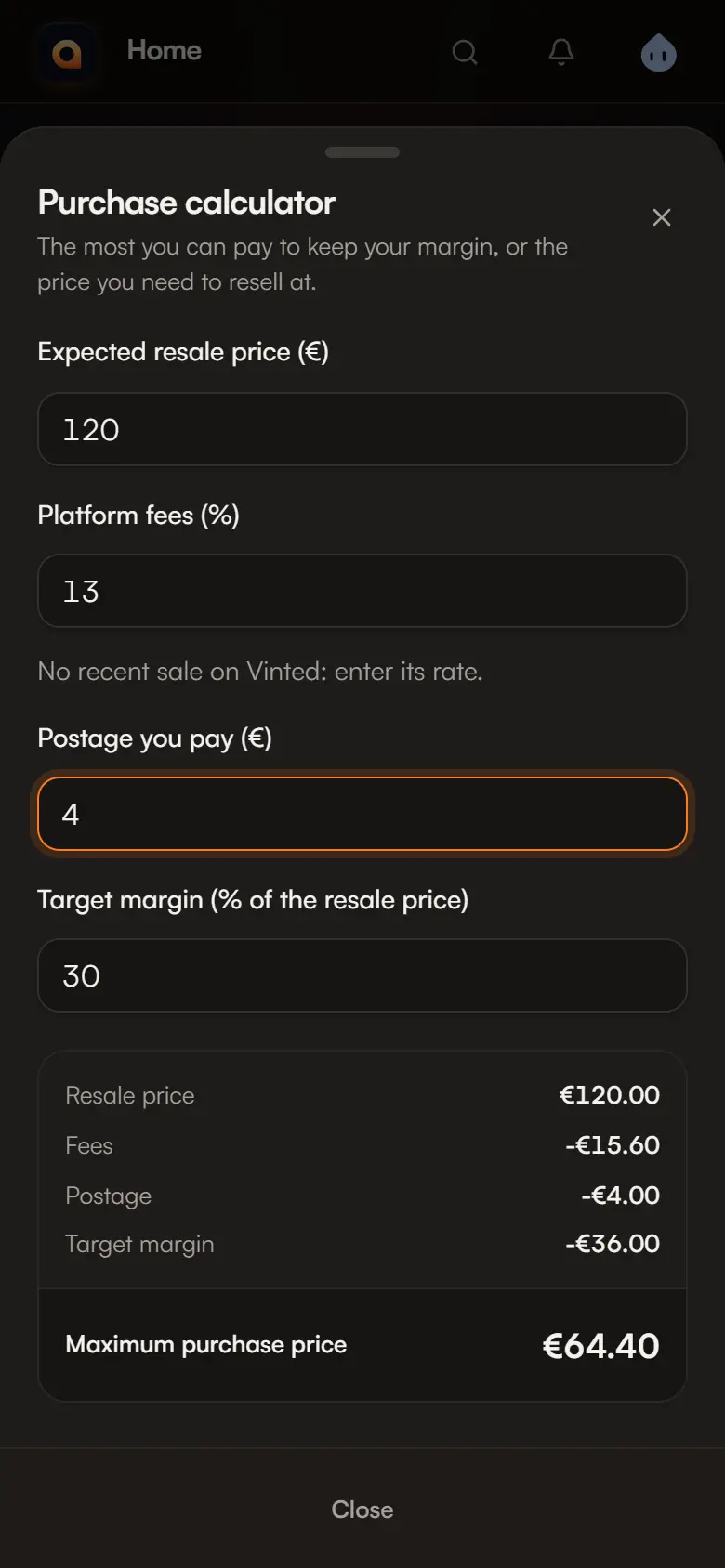
Enter the expected resale price. The result is the maximum purchase price that keeps your margin:
resale price − fees − postage − target margin = maximum purchase price
The settings
| Field | Detail |
|---|---|
| Resale platform | Vinted, Leboncoin, eBay, Cardmarket, Whatnot or in person. By default, the platform of your last sale. |
| Platform fees (%) | Prefilled with the rate of your last sale on that platform. Without a recent sale, enter it. In person: 0. |
| Postage you pay (€) | Remembered from one use to the next. |
| Target margin | As a % of the resale price, 30% by default, remembered. It is the same definition as the margin rate in Finances. |
If the calculation is impossible, Aeon explains: “At this resale price, a 30% margin is out of reach.”, or “Fees and margin take the whole price”.
Nothing is saved
The calculator creates nothing and sends no amount: you can close it safely. Only the mode, postage and target margin are remembered on your device.
The same rule is used in the wishlist to suggest a maximum price.