'%20fill-rule='evenodd'%20d='M171.52-16.97H86.06q-35.76%200-60.91-25.15Q0-67.27%200-103.03q0-35.15%2025.15-60.61%2025.15-25.45%2060.91-25.45%2035.15%200%2060.3%2025.45%2025.16%2025.46%2025.16%2060.61v86.06M86.06-146.06q-18.18%200-30.61%2012.73-12.42%2012.72-12.42%2030.3%200%2018.18%2012.42%2030.61Q67.88-60%2086.06-60q17.58%200%2030.3-12.42%2012.73-12.43%2012.73-30.61%200-17.58-12.73-30.3-12.72-12.73-30.3-12.73'/%3e%3c/svg%3e%3c/svg%3e)
Dormant listings and prices
Spot listings that do not sell, and judge an offer or a price drop at a glance.
How long a listing has been online
Each open listing shows its age: Online for N days, or Draft for N days. Age starts from the oldest copy still online.
Dormant listings
A listing online for 30 days or more without selling gets the Dormant badge.
In the Online view of Sales, a line tells you: “N listings have been online for more than 30 days” › Show them. The view then only shows those listings, the oldest first; Show all online listings goes back to the full list.
Dormant listings get a visible Check a price button.
Check a price
A buyer makes you an offer? You want to lower the price? Check a price (on a dormant listing, or in the menu of any open listing) shows what you would keep.
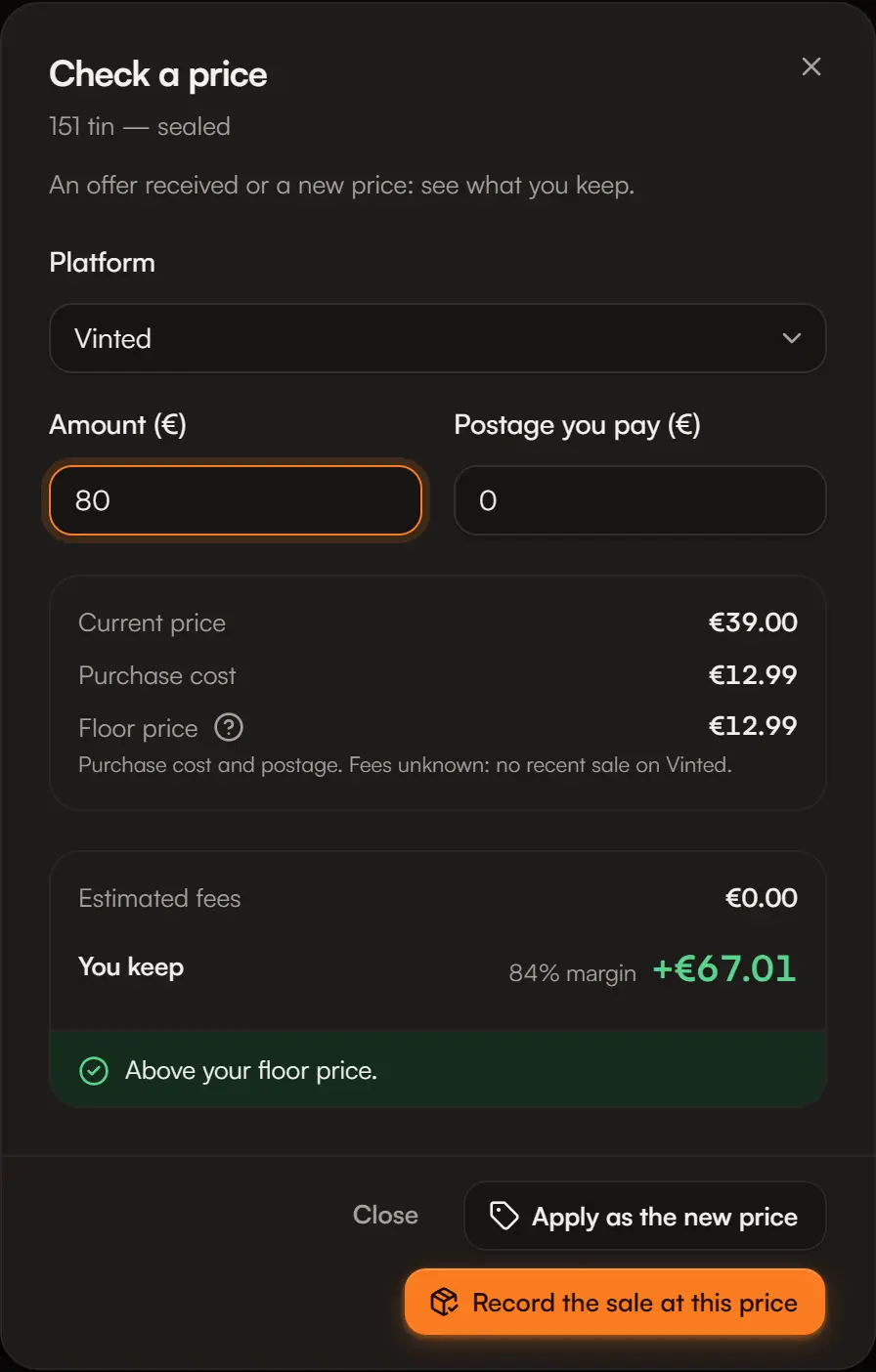
Choose the platform
Among those where the listing is published.
Read the benchmarks
The current price, the purchase cost (or “Unknown”), the estimated fees and the floor price: the lowest price that covers cost, fees and postage. Below it, you sell at a loss.
Enter the amount
The offer received or the new price, and the postage you pay.
Read the verdict
You keep: the profit, the margin rate, and a sentence: “Above your floor price.” or “Below your floor price: a … loss”.
Act
- Record the sale at this price: opens the sale prefilled (platform, amount, estimated fees).
- Apply as the new price: updates the price in Aeon. Remember to change it on the platform too: Aeon does not change prices on Vinted or Leboncoin.
Where the figures come from
- Estimated fees: the fee rate of your last sale on that platform. Without a recent sale, fees count as 0, and it says so.
- Unknown purchase cost: Aeon cannot judge the price and says so, rather than making up a floor.
See also Floor price.