'%20fill-rule='evenodd'%20d='M171.52-16.97H86.06q-35.76%200-60.91-25.15Q0-67.27%200-103.03q0-35.15%2025.15-60.61%2025.15-25.45%2060.91-25.45%2035.15%200%2060.3%2025.45%2025.16%2025.46%2025.16%2060.61v86.06M86.06-146.06q-18.18%200-30.61%2012.73-12.42%2012.72-12.42%2030.3%200%2018.18%2012.42%2030.61Q67.88-60%2086.06-60q17.58%200%2030.3-12.42%2012.73-12.43%2012.73-30.61%200-17.58-12.73-30.3-12.72-12.73-30.3-12.73'/%3e%3c/svg%3e%3c/svg%3e)
Create and publish a listing
One listing for an item or a bundle, published on several platforms, with stock reserved only once.
In Aeon, a listing is what you put on sale: one item, or a bundle of several. The same listing can be published on several platforms (Vinted, Leboncoin, eBay…): its stock is reserved only once, and Aeon helps you take the other copies down as soon as it sells.
Aeon does not post to Vinted or Leboncoin for you
These platforms have no open access: you copy the text, post it, then tell Aeon the listing is live. eBay can be connected to go further, see Connect eBay.
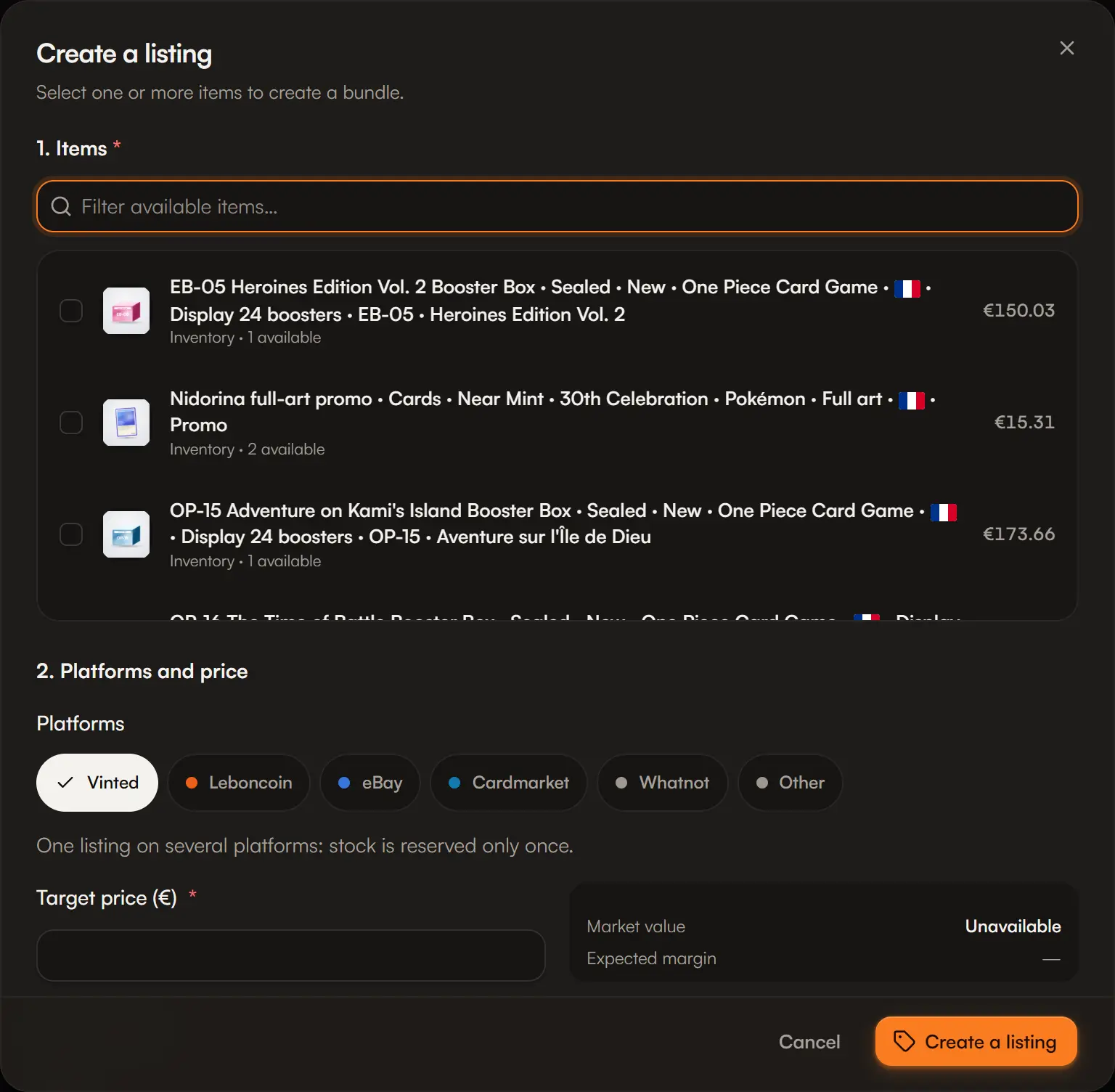
Create the listing
Open Create a listing from the + button, from Sales, or after selecting items in Stock.
1. Items
Select one or more available items, and the quantity of each. Several items make a bundle. A capture must be completed before it can go into a listing.
2. Platforms and price
Choose one or more platforms and the target price. Need a different price per platform? Open Different prices by platform: the margin shows for each. A price left empty keeps the target price.
3. Listing text
A title and a description are generated from the items. You can edit them, pick a template, or Suggest a text when the option is available.
Initial status
To publish (draft) or Published if it is already online.
Publish on your platforms
A listing's Platforms button opens Publish on your platforms: one line per platform, with its status.
Open the platform
Aeon opens the selling page of Vinted, Leboncoin or eBay.
Post it, then Mark live
You can paste the listing link: View listing will take you back to it.
Add a platform adds a copy later. Stop publishing here stops a platform.
| Copy status | Meaning |
|---|---|
| To publish | Not online on this platform yet. |
| Live | You marked it live. |
| To take down | The listing sold or was withdrawn, but this copy is still online. |
| Removed | The copy is no longer online. |
Avoid selling twice
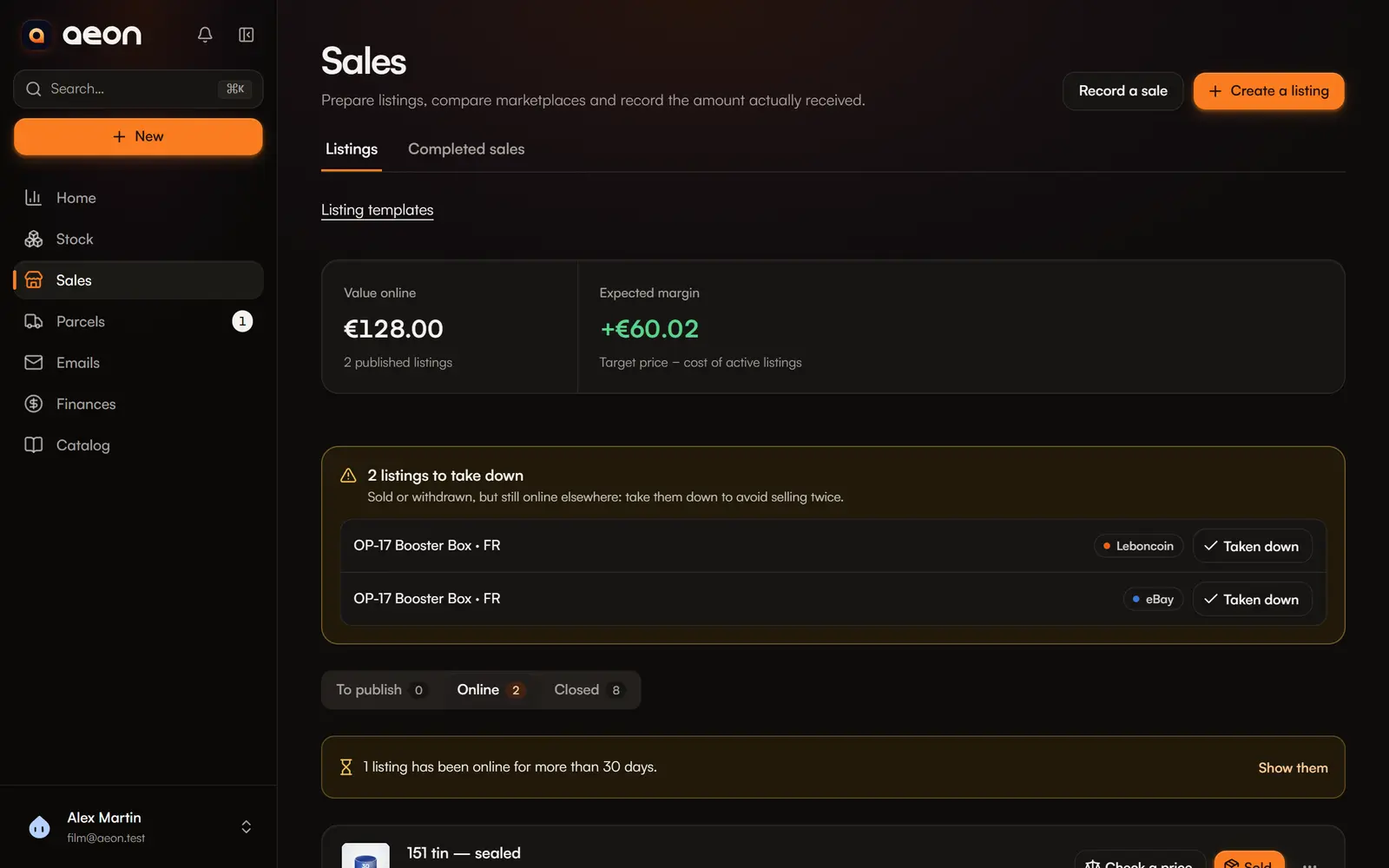
When a listing sells on one platform, Aeon sets the copies still online elsewhere to To take down. A N listings to take down block appears at the top of Sales, Home shows a reminder, and the bell lets you know.
Take the listing down on the platform, then Taken down in Aeon.
Follow your listings
Sales › Listings groups your listings in three views: To publish, Online and Closed (sold or withdrawn). At the top: the value online and the expected margin (target price − cost of active listings).
Each online listing shows how many days it has been online. After 30 days without a sale, it gets the Dormant badge: see Dormant listings and prices.
Edit, withdraw, reopen
From a listing's menu:
- Edit: title, description, price, reserved items. Remember to apply the changes on the platforms where it is published.
- Duplicate: a new listing based on this one.
- Withdraw listing: it is no longer active, and its reserved stock becomes available again. Copies still online move to To take down.
- Reopen: reactivates a withdrawn listing.
- Check a price: see Dormant listings and prices.
To record the sale: Sold. See Record a sale.