'%20fill-rule='evenodd'%20d='M171.52-16.97H86.06q-35.76%200-60.91-25.15Q0-67.27%200-103.03q0-35.15%2025.15-60.61%2025.15-25.45%2060.91-25.45%2035.15%200%2060.3%2025.45%2025.16%2025.46%2025.16%2060.61v86.06M86.06-146.06q-18.18%200-30.61%2012.73-12.42%2012.72-12.42%2030.3%200%2018.18%2012.42%2030.61Q67.88-60%2086.06-60q17.58%200%2030.3-12.42%2012.73-12.43%2012.73-30.61%200-17.58-12.73-30.3-12.72-12.73-30.3-12.73'/%3e%3c/svg%3e%3c/svg%3e)
Quick capture
A photo and the price paid, in seconds, even offline. The record is completed later.
At a flea market, a convention or a shop, you have no time to fill in a record. Quick capture saves the purchase right away; you complete it once you are home.
Open it from the + button (the Quick capture row under the actions, on a phone), from search, or from the Stock menu.
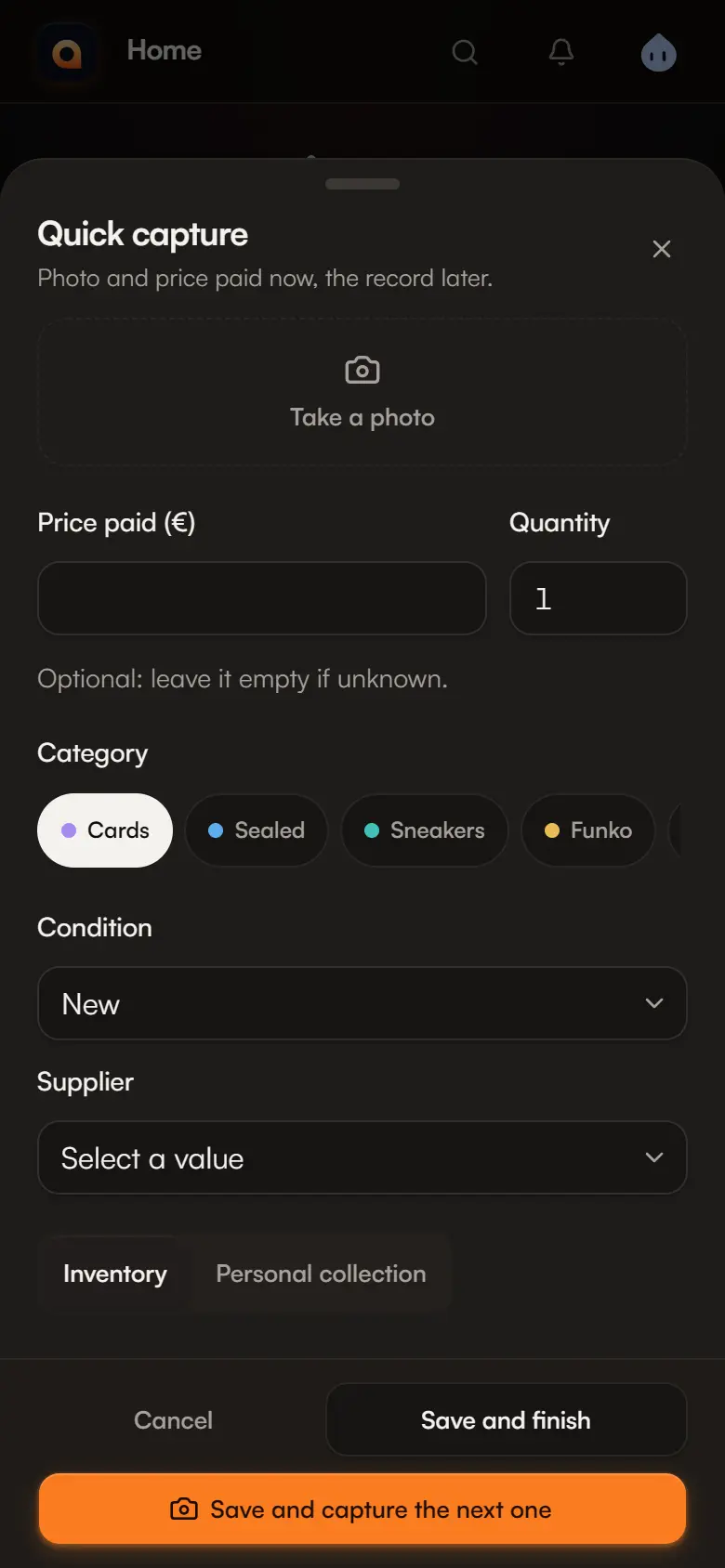
Capture a purchase
Take a photo
Take a photo opens the phone's camera. You can take several, and remove the bad ones.
Enter the price paid
Optional: leave it empty if unknown. You need at least a photo or a price to recognise the purchase.
Check the quantity and category
Quantity is 1 by default. The category is one tap away; the last one used is preselected.
Condition, supplier and space
They are taken from the previous capture: you enter them once per run.
Save
- Save and capture the next one: keeps category, condition, supplier and space, clears photos and price. Ideal for a run of purchases.
- Save and finish: closes the capture.
Complete your captures
A capture is real stock as soon as it is saved, with its purchase (price, date, supplier). It only lacks a name: it is called “Capture —” followed by the date and time, and carries the Record to complete badge.
Find your captures
On Home, the N captures to complete row › Complete, or in Stock, the Captures to complete status.
Complete the record
Open the capture, then Complete the record: give it a real name and check its details. The badge disappears when you save.
Before listing it
A capture cannot go into a listing or a catalogue until its record is completed. It can still be sold directly, moved or valued like any item.
Offline
No connection? The capture is kept on your phone, encrypted: “Saved on this phone: sent as soon as the connection returns.” You can go on with the next one.
- A N captures waiting indicator appears at the top of the app. It opens the list of waiting captures, with Send now and deletion.
- Sending happens by itself when the connection returns, when the app opens, then every minute while something is waiting.
- A capture sent twice is never created twice.
- If the server refuses a capture (for example because its category was deleted since), it stays in the list with the reason.
Good to know
Waiting captures are tied to your account and to this phone. Delete all from this phone erases them for good: they have not been sent yet. The app must have been opened online at least once so you can sign in.