'%20fill-rule='evenodd'%20d='M171.52-16.97H86.06q-35.76%200-60.91-25.15Q0-67.27%200-103.03q0-35.15%2025.15-60.61%2025.15-25.45%2060.91-25.45%2035.15%200%2060.3%2025.45%2025.16%2025.46%2025.16%2060.61v86.06M86.06-146.06q-18.18%200-30.61%2012.73-12.42%2012.72-12.42%2030.3%200%2018.18%2012.42%2030.61Q67.88-60%2086.06-60q17.58%200%2030.3-12.42%2012.73-12.43%2012.73-30.61%200-17.58-12.73-30.3-12.72-12.73-30.3-12.73'/%3e%3c/svg%3e%3c/svg%3e)
Count a storage place
Count what is really in a box or on a shelf, then fix the differences.
Over time, recorded stock drifts from reality: a forgotten sale, an item filed in the wrong box, a loss. A count compares a storage place with what Aeon expects to find there.
A count never changes stock by itself
It shows you the differences. Each correction goes through a usual action (removal, addition, sale, change of storage place), traced in the history.
Counting relies on storage places: first fill in where your items are (record or bulk edit).
Count
Choose the place
Stock › … › Count a place, choose the storage place, then Start counting. A count already in progress for that place resumes where you left it, on any device.
Count each item
The list shows the items recorded at that place, with the expected quantity. Set the counted quantity with − and +. A line you have not touched shows “not counted yet”.
The expected quantity includes units sold but not shipped yet (they are still on the shelf): the line says so.
Every change is saved at once: you can stop and resume.
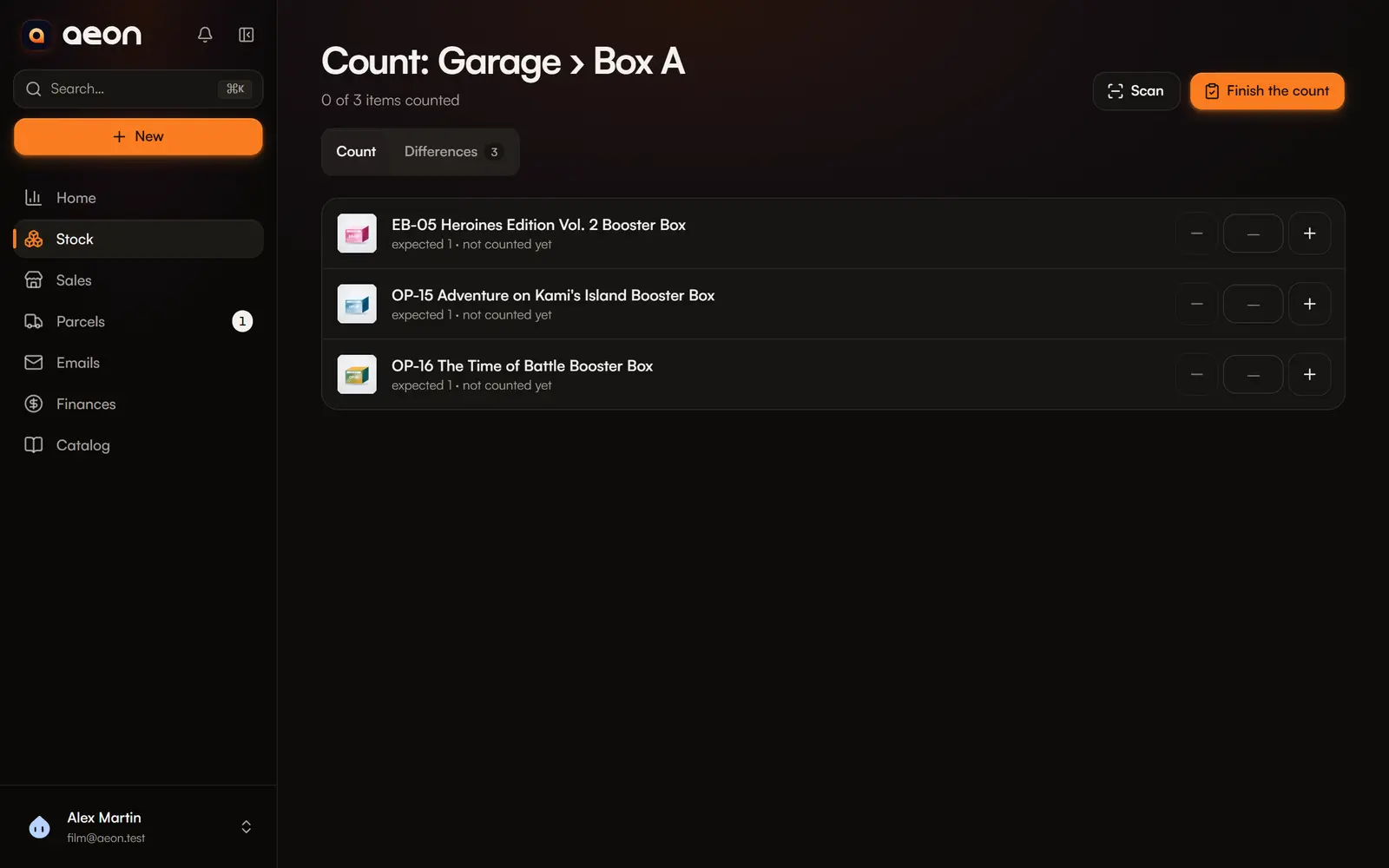
Fix the differences
The Differences tab sorts items into four groups:
| Group | Meaning | Suggested correction |
|---|---|---|
| Missing | Counted fewer than expected, or not counted | Remove N from stock (reason prefilled, editable) or Record a sale |
| Extra | Counted more than expected | Add N to stock |
| Recorded elsewhere | Found here, recorded at another place | Move here |
| Matching | The count matches | — |
A corrected line moves to Matching right away.
Units sold and waiting to ship cannot be removed: ship the sale or cancel it.
Finish
Finish the count closes it. Uncorrected differences stay as they are; the count is kept in your data as a record of what was found. You can start a new one at any time.