'%20fill-rule='evenodd'%20d='M171.52-16.97H86.06q-35.76%200-60.91-25.15Q0-67.27%200-103.03q0-35.15%2025.15-60.61%2025.15-25.45%2060.91-25.45%2035.15%200%2060.3%2025.45%2025.16%2025.46%2025.16%2060.61v86.06M86.06-146.06q-18.18%200-30.61%2012.73-12.42%2012.72-12.42%2030.3%200%2018.18%2012.42%2030.61Q67.88-60%2086.06-60q17.58%200%2030.3-12.42%2012.73-12.43%2012.73-30.61%200-17.58-12.73-30.3-12.72-12.73-30.3-12.73'/%3e%3c/svg%3e%3c/svg%3e)
Stock
Stock age
How long your money has been waiting in stock, and what to turn over first.
Your stock's value does not tell the whole story: an item bought six months ago and never listed ties up your cash. Stock age shows it.
Open Stock › … › Stock age, search, or the Home reminder “N items in stock for 90 days or more, not for sale” › Put on sale.
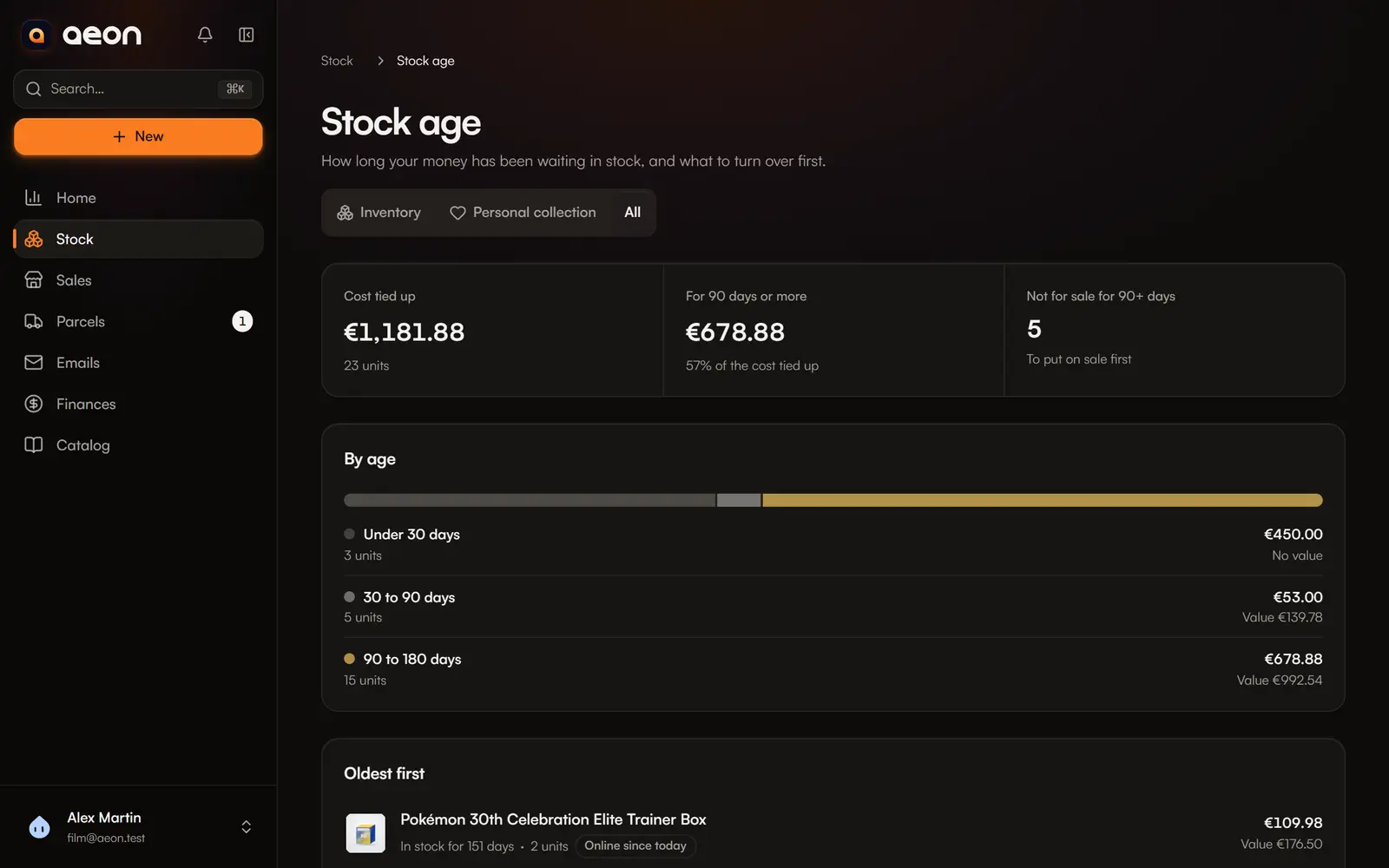
What the page shows
- Cost tied up: what the stock you hold cost you, and how many units.
- For 90 days or more: the share of that cost waiting for a long time.
- Not for sale for 90+ days: the items to put on sale first.
- By age: under 30 days, 30 to 90 days, 90 to 180 days, over 180 days, and unknown purchase date, with the units, cost and value of each bucket.
- Oldest first: up to 50 items, with their age, cost held, market value, and their state: Not for sale, For sale, not online yet, or Online for N days.
An item not for sale has a Create a listing button. Clicking a row opens the item.
Choose the space at the top: resale, personal collection or all. From Home and search, the page opens on resale: a collection is kept on purpose.
How age is computed
- Age starts from each purchase's purchase date, for units still held and received. Purchases not arrived yet do not count.
- An item's age is the age of its oldest purchase still held.
- Without a purchase date, the item goes to “Unknown purchase date”: age is never guessed.
- An unknown cost is counted apart, never as zero.
Sort stock by age
In Stock, the Oldest in stock sort lists your items from oldest to newest.